VPN Connected, but Nothing on the IoT VLAN Answers
The VPN says connected. Your laptop can reach the router. And every IoT host on the far side still ignores you. Ping times out. SSH never banners. The dashboard that was “one hop away” might as well be on another planet. This is the write-up I wish I had the first time I blamed the tunnel.
Symptom
A remote-access VPN is up — Teleport, WireGuard, Tailscale, or whatever you use to get home. The client has an address. The default gateway on the far side answers. A Trusted host at 192.168.XXX.XXX (Trusted) pings. The IoT host you actually need — a camera, a serial bridge, a bulb controller — does not. Sometimes ICMP works and TCP port 22 does not. Sometimes nothing works except the gateway.
It feels like a broken tunnel. It usually is not.
Why it happens
Three layers get stacked, and only one of them is the VPN:
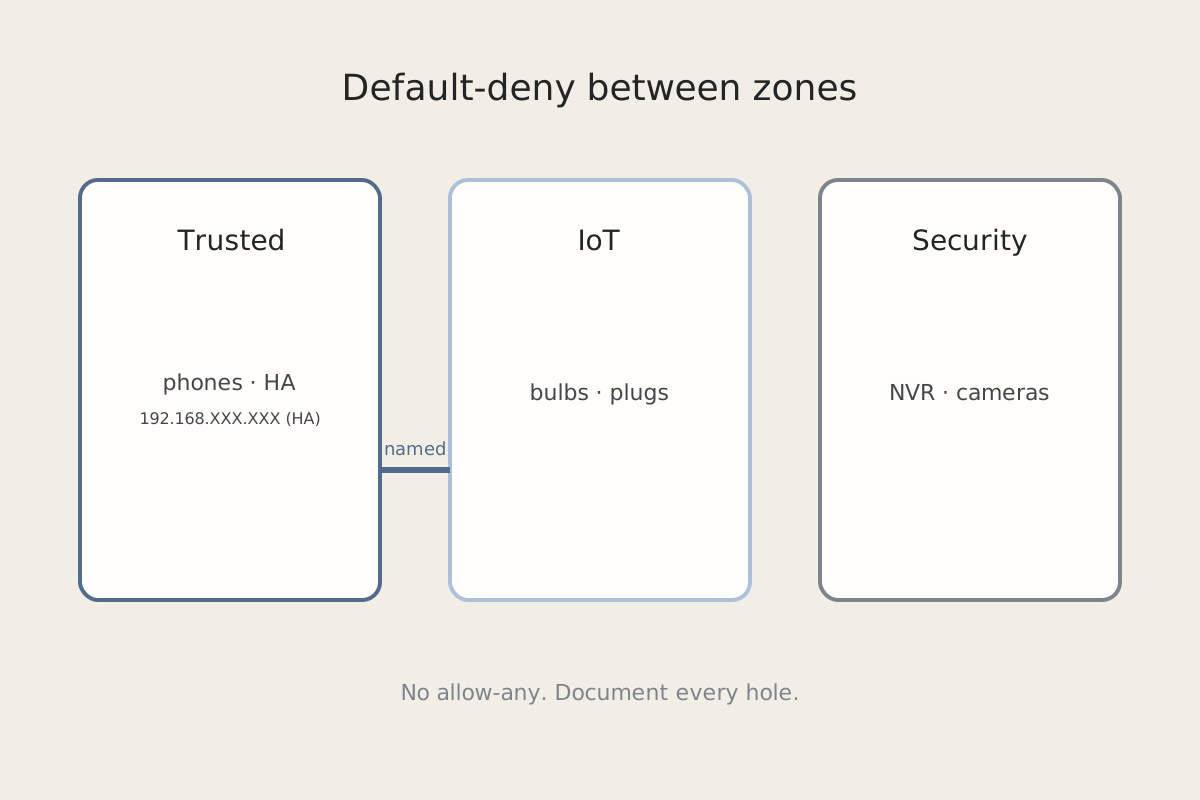
- The tunnel only delivers you onto a zone. Landing on Trusted (or on a dedicated VPN network) does not grant IoT. If the zone firewall is default-deny between those networks, the packet dies after it leaves the tunnel, not inside it.
- Discovery does not ride the VPN. mDNS, SSDP, and “find my printer” stay on the LAN. If you try the friendly name instead of
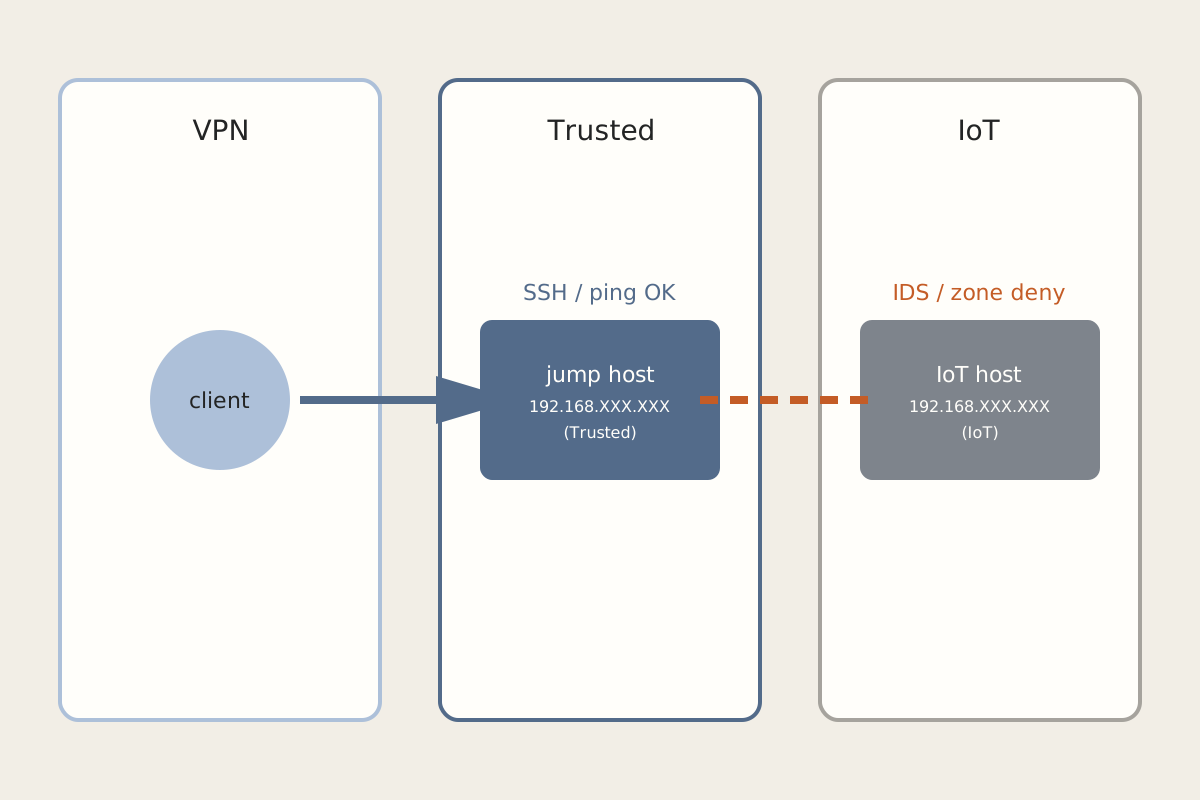
192.168.XXX.XXX, the name never resolves and it looks like the host is down. - UniFi Threat Detection / IDS can drop one flow and leave the rest alone. This is the gotcha that wasted an evening. IDS saw SSH from a VPN client to a single IoT address, classified it, and silently discarded it. Ping still worked. HTTPS on another port still worked. Neighboring IoT hosts were fine. The controller UI still said the VPN was healthy because the tunnel was healthy.
The zone firewall and the IDS are not the tunnel. Treat them as separate questions.
Fix steps
-
Prove the tunnel with a Trusted target. From the VPN client, ping and SSH to a jump host you already allow, such as
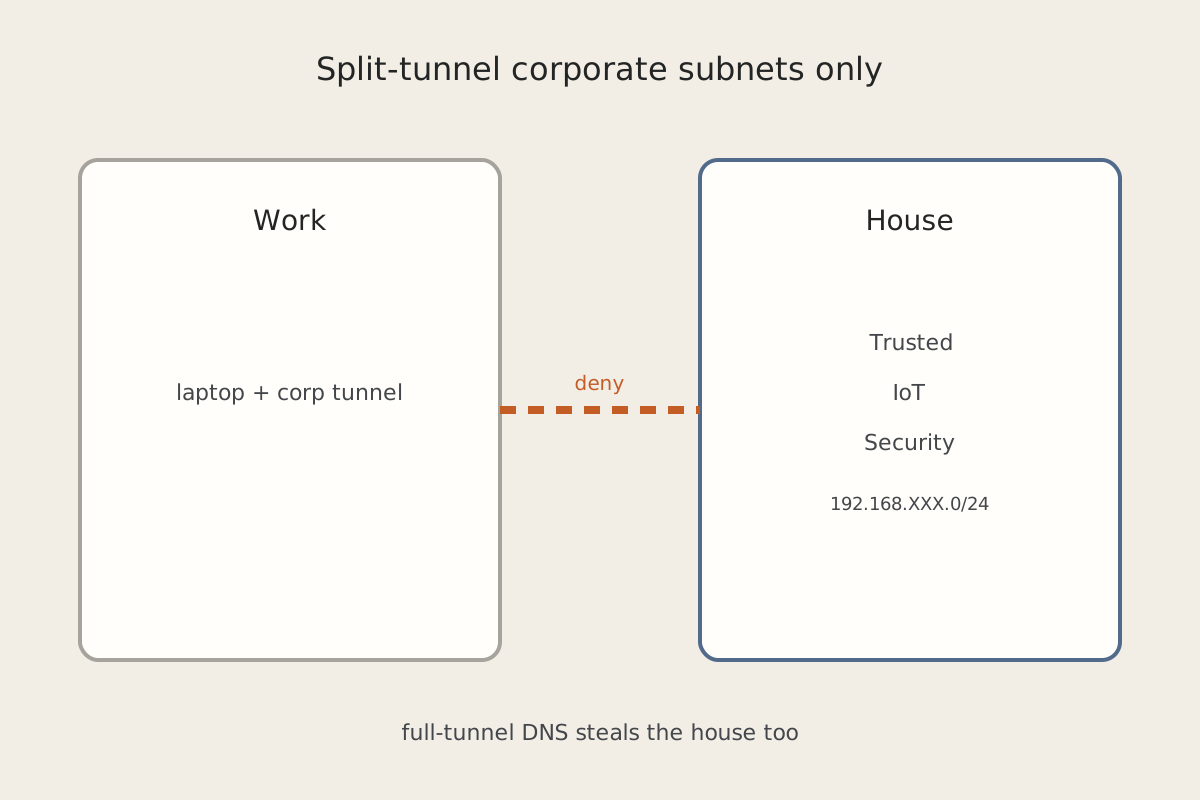
192.168.XXX.XXX(Trusted). If that fails, fix the VPN (split tunnel, allowed networks, DNS) before you touch IoT. If it works, the tunnel is not your problem. See Work VPN Should Not Steal House Traffic if a corporate client is fighting the home one. -
Talk to IoT by address, not by name. Ping
192.168.XXX.XXX(IoT), or whatever you assigned. If names fail and numbers work, this is discovery, not reachability. -
Read the zone policy, not the VPN status page. On a UniFi-style zone firewall, look at VPN/Trusted → IoT. Default-deny with no exception means ICMP and SSH both fail, which matches a “nothing answers” report. Add the narrow exception you actually need — or SSH to the jump host and bounce from there. Do not open IoT to the whole VPN zone “just to test.” The exceptions you will keep are in Default-Deny on the IoT VLAN.
-
Check IDS / Threat Detection logs before you disable them. Filter for the VPN client address and the IoT host. A silent SSH drop shows up there even when ping still works. If IDS flagged the flow, allowlist that pair or send the session through the jump host. Leave IDS on.
-
Use the jump host as the normal path. SSH to Trusted, then to IoT. That keeps IoT off the public-facing VPN client and usually sidesteps the IDS signature that fires on “SSH from a remote network onto a camera.”
How to verify
- VPN client → Trusted jump host: ping and SSH succeed.
- VPN client → IoT by
192.168.XXX.XXX: the specific port you allow succeeds. Neighboring ports you did not allow still fail. - IDS / Threat history has no new silent drops for that pair.
- IDS is still enabled. You did not flip a global “off” to make SSH work.
If the host that will not answer is Home Assistant itself, ping is the wrong test — continue in Home Assistant Is Pingable and Completely Dead. Broker traffic on IoT still belongs on MQTT; the Arduino side of that is in Sending Sensor Data From Arduino to MQTT.
Related posts